☀️ The wake-up call that calls you back

Make sure they're really up.

DontOversleep texts someone you care about at the time you choose. They tap one button to prove they're awake — and if they don't, your alarm goes off so you can step in before it's too late.

Set a wake-up check — free Works over SMS · Recipients need no app

How it works

Three steps. About sixty seconds to set up.

1

Schedule the text

Pick who, what time, which days — and how many minutes of grace they get. They get one invite text and reply YES to opt in. 7:00am, weekdays, 15 minutes? Done.

2

They tap “I'm awake”

At wake-up time they get an SMS with one big button. Tap → you get a quiet “✅ awake, on time” confirmation. No app on their phone, ever.

3

If they don't — you'll know

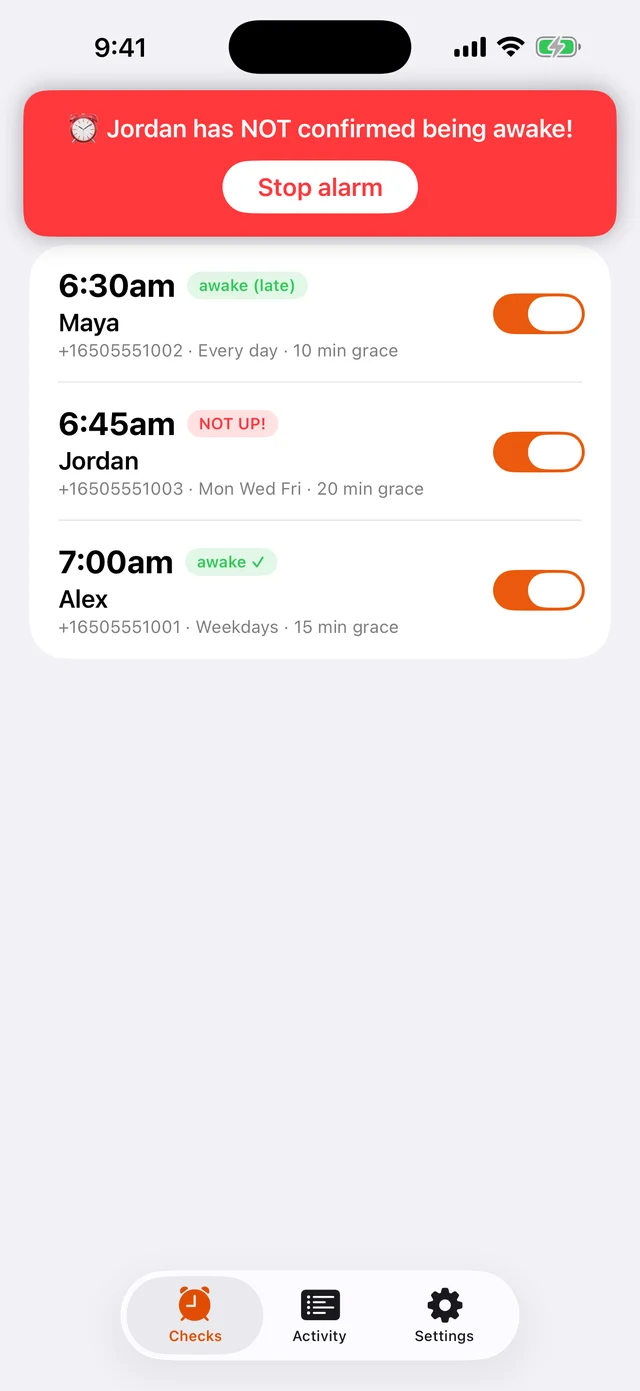
Grace period passes with no tap? Your phone erupts: alert text plus a loud alarm in the app. Time to call, knock, or start the car.

See it in action

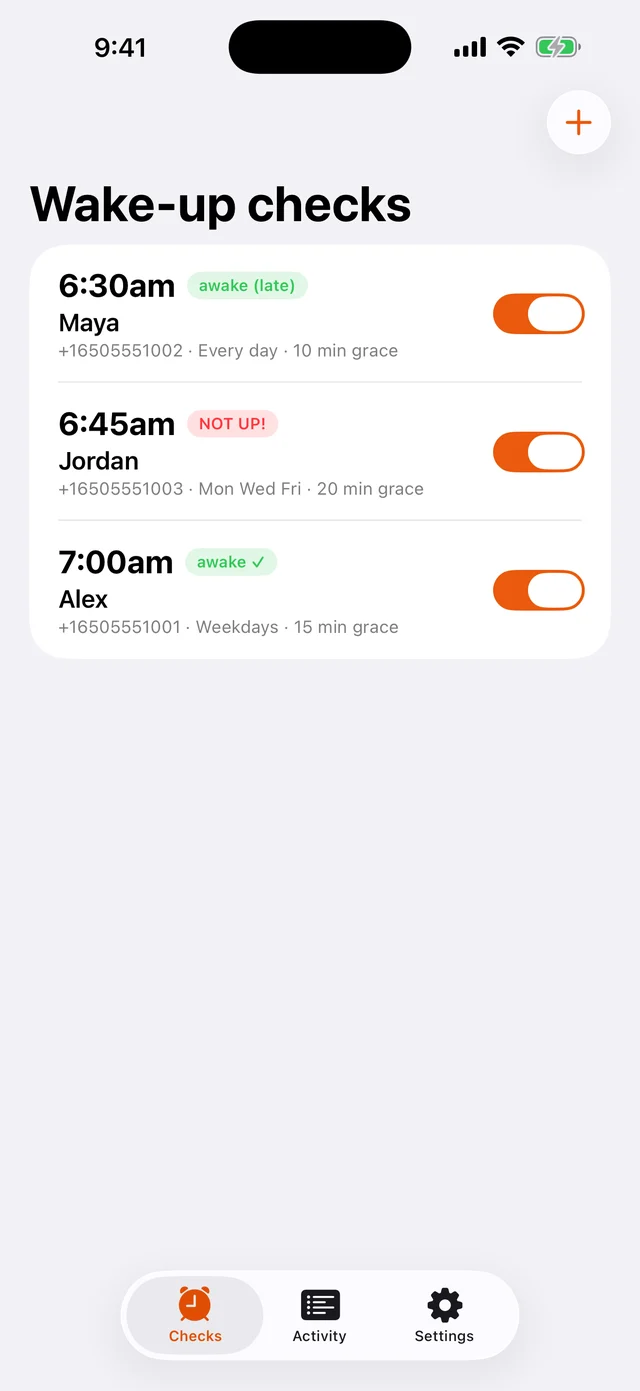
The sender's view — everything your mornings need at a glance.

Wake-up checks list showing on-time, late, and missed confirmations
Every check, every status — awake, late, or NOT UP!
Escalation alarm banner: Jordan has NOT confirmed being awake
The alarm you can't miss when someone isn't up
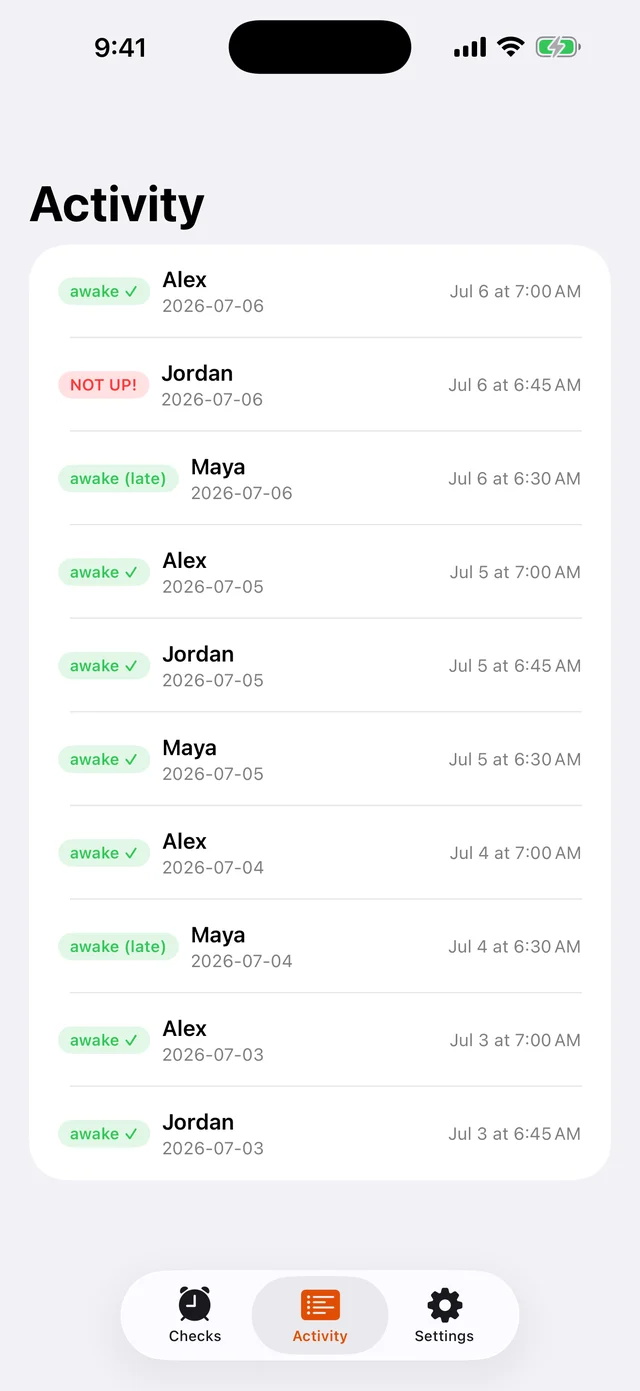
Morning-by-morning activity history of wake-up confirmations
Morning-by-morning history, at a glance

Who it's for

🎒

School mornings

Retire the 6:30am “are you up?” text volley. Know they're moving — without nagging.

📚

Exam week, away from home

A college student with an 8am final and a parent three timezones away. Both sleep easier.

✈️

Flights, shifts & races

When an alarm clock isn't enough, add a human backstop who'll actually call you.

🧓

A daily “I'm OK”

A gentle morning check that an older parent is up and moving — one tap and you know.

No app for recipientsAny phone with SMS works
Timezone-aware7:00am their time, not yours
Grace periods0–120 minutes, your call
Repeat schedulesWeekdays, weekends, any mix
Instant opt-outRecipients reply STOP anytime
Private by designNo ads, no data selling

Frequently asked questions

Does the person I'm waking up need to install anything?

No. Recipients just get a text with a link. Any phone that can receive SMS works — no app, no account, no setup on their side.

What happens if they don't confirm they're awake?

After the grace period you set, your alarm goes off: an alert text, plus a loud alarm in the DontOversleep app. If they confirm late, you're told that too.

Is DontOversleep free?

Yes — creating wake-up checks and receiving alerts is free.

How do recipients stop the texts?

Recipients are always in control: wake-up texts only start after they reply YES to a one-time opt-in invite, and replying STOP halts all messages immediately. Senders can pause or delete a check at any time.

Does it work across timezones?

Yes. Each check has its own timezone, so a 7:00am check fires at 7:00am where the sleeper lives — even if you're on the other coast.

Is there an iPhone app?

The iOS app is in App Store review now. The web app works great on any phone in the meantime — and recipients never need either one.

Tomorrow morning, know for sure.

Set up your first wake-up check in about a minute.

Get started free

Contact

Questions, ideas, or press — we read everything.